
MySRD Checker
MySRD Checker
For millions of South Africans, checking the SASSA SRD status is the first thing they do every month. It determines whether grocery money arrives this week or not. It tells you whether a payment delay is normal or whether something needs fixing urgently. And in 2026, with over 9 million active SRD beneficiaries relying on the R370 Social Relief of Distress grant, knowing exactly how to perform a SASSA status check has become essential knowledge.
Thank you for reading this post, don't forget to subscribe!This guide covers every official method for your SASSA SRD status check, explains exactly what to do when something goes wrong, clarifies the confusing USSD codes that competing websites get wrong, and walks you through the error messages nobody else explains. Everything here is verified against official SASSA sources and updated for April 2026 payment cycles.
The SRD R370 grant is fundamentally different from older SASSA grants like the Older Persons Grant or the Disability Grant. Those grants are permanent once approved. The SRD grant is not. Every single month, SASSA runs a fresh eligibility check against multiple government databases including SARS, UIF, NSFAS, and Home Affairs.
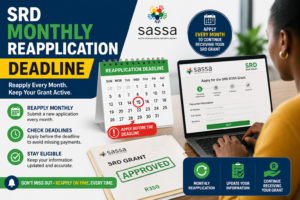
This means an approval in May 2026 does not guarantee an approval in June 2026. If you received a UIF payment in between, started a part-time job, or became eligible for another grant, your June status may show “Declined” even though May was “Approved.”
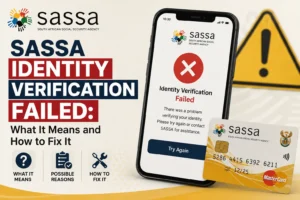
Not checking your status regularly has real consequences. If your banking details become invalid, your status will change to “Pending Bank Details” and no payment will be made until you update them. If Home Affairs updates your ID record and there is a mismatch with SASSA, your status will show “Identity Verification Failed” and you could miss multiple months of payments before realising.
A quick SASSA status check at the start of each month is the single best habit any SRD beneficiary can develop.
Before using any of the SASSA SRD status check methods below, make sure you have these three things ready:
If you no longer have access to your original registered cellphone number, your first step is not to check your status. Visit a SASSA office to update your phone number first, or see our Change Number guide for the official process.
The SASSA SRD portal at srd.sassa.gov.za is the most accurate and detailed way to check your status. It shows your results for every month you have ever applied, not just the current month.
Step-by-step process:
The portal shows month-by-month results, which is useful for tracking approval patterns and spotting issues early. If March showed “Approved” but April shows “Declined,” you can quickly identify when something changed.
When the portal is slow: The SASSA SRD portal typically experiences heavy traffic between the 1st and 5th of every month when millions of beneficiaries check their status simultaneously. If the site fails to load, try again in a few hours or use one of the alternative methods below.
For a full breakdown of every possible status result, see our detailed SASSA Statuses page.
The official SASSA WhatsApp channel at 082 046 8553 offers one of the fastest and most convenient SASSA status check methods, especially for users with limited data.
Step-by-step process:
The WhatsApp method works 24 hours a day, uses minimal data, and is especially useful during peak portal hours. Many South African mobile operators now offer zero-rated access to SASSA services, which means the status check may cost nothing at all in data.
Make sure you are messaging the official number 082 046 8553. Scammers create lookalike numbers and fake SASSA channels on WhatsApp. The real SASSA WhatsApp account will never ask for your bank PIN, password, or payment to “release” your grant.
USSD is the best option if you have a basic phone, or no internet and data. It works directly through your network, so no Wi-Fi or app is needed.
The main USSD code for SASSA services is *134*7737#, which covers SRD applications, status enquiries, and general grant services.
Step-by-step process:
This method works on all major South African networks including Vodacom, MTN, Cell C, and Telkom. No internet connection is required, and standard USSD charges (usually free or minimal) apply.
You may also see other USSD codes such as *120*3210# shared online. These are not always active on every network and can change without notice, so if *134*7737# does not work for you, confirm the current code through an official SASSA channel rather than relying on third-party numbers.
For the most accurate result, USSD is best used as a backup when the official portal at srd.sassa.gov.za is slow or down. The portal remains the most reliable source of truth for your status.
Several mobile applications allow you to check your SASSA SRD status from your smartphone.
Moya App is zero-rated on most networks, which means SASSA queries through it use no data. Download Moya from the Google Play Store, open the app, navigate to the “Discover” section, tap “SASSA Relief,” and enter your details.
MySASSA is the official SASSA mobile app available on both Google Play Store and Apple App Store. Search for “MySASSA” and download only the app published by the South African Social Security Agency. The app allows status checks, banking updates, and office locator services.
GovChat is a broader government services app that includes SASSA status checking among its features. Register once and you can check status, apply for grants, and submit queries all in one place.
Important warning: fake SASSA apps exist on both app stores. Before downloading any SASSA-related app, verify the publisher name matches “South African Social Security Agency” exactly. Apps asking for banking PINs or payment to “activate” are scams.
The SASSA toll-free helpline on 0800 60 10 11 provides a direct SASSA status check option for callers from any South African phone. The call is free.
Step-by-step process:
For more complex issues, press the option to speak to a human agent. Call centre hours are Monday to Friday, 8am to 4pm. Avoid calling on the first Monday of the month, as wait times can exceed an hour due to high call volumes.
For complex cases that online methods cannot resolve, visiting a SASSA office remains the most reliable option. This is especially important for identity verification failures, grant restoration, or appeals.
Bring these documents:
SASSA offices are typically open Monday to Friday, 8am to 3:30pm. Arrive early to avoid long queues, particularly in high-volume urban offices
Once you have checked your SASSA SRD status using any method above, you will see one of several possible results. Here is a quick reference for the most common outcomes. For detailed explanations of all 16 possible statuses, visit our complete SASSA Statuses page.
Status | What It Means | Action |
Period Approved | Payment confirmed for the month | Wait for payment, confirm banking details |
Period Declined | Not eligible for that specific month | Review reason, appeal if incorrect |
Period Pending | SASSA is still reviewing | Wait 10-15 business days |
Pending Bank Details | Banking info missing or wrong | Update on SRD portal immediately |
Identity Verification Failed | ID mismatch with Home Affairs | Visit SASSA office with original ID |
Referred | Manual review required | Wait up to 30 days |
Application Completed | Received and queued | No action needed |
Your status applies to each specific month individually. It is completely normal to see “Approved” for one month and “Declined” for another. Each month is reviewed separately.
This is the section most SASSA status check guides skip. If you are reading this because something went wrong, the solutions below are what you need.
Problem: “Invalid ID number” error message
Double-check that you typed all 13 digits correctly, without spaces or dashes. The ID must match your South African ID document exactly. If the error persists, your ID may not be registered in SASSA’s system yet, which means you have not submitted an application.
Problem: OTP not received on your phone
Wait 2-3 minutes before requesting a new OTP. Some networks delay SMS delivery during peak times. If you still do not receive it, confirm the cellphone number you entered matches the one registered on your application. If your number has changed, you cannot receive the OTP and must visit a SASSA office to update it.
Problem: Portal loading forever or showing blank screen
This typically happens at month-end when traffic is highest. Clear your browser cache, try a different browser, or switch to one of the alternative check methods (WhatsApp, USSD, or the Moya app).
Problem: “Phone number not registered” error
The cellphone number you entered does not match SASSA’s records. Make sure you are entering the exact number used during your original application. If your number has changed since applying, visit a SASSA office with your ID to update it before you can check status again.
Problem: Status stuck on same result for weeks
If your status has not changed for 30+ days, call 0800 60 10 11 for manual escalation. Have your ID number ready. Mention the exact status and how long it has been unchanged.
Problem: Status shows “Approved” but no payment received
First, confirm your banking details on the portal are correct. Approved payments take 3-7 business days to reflect in most bank accounts, and up to 10 business days for some smaller banks. If it has been longer than 10 business days, check whether the account is active, not dormant, and registered in your name.
Problem: Status showing for the wrong month
The SRD portal displays your full history. Scroll down or use the month selector to find the current month. If the current month shows nothing, SASSA may not have started processing April applications yet — typical start is mid-month.
Problem: Third-party website shows different result than official portal
Always trust the official srd.sassa.gov.za portal above any third-party site, including this one. Third-party trackers sometimes pull older cached data.
Timing matters for SASSA status checks. Here is what I have observed over years of tracking the SRD portal.
Best times to check:
Worst times to check:
What to expect month-by-month:
Day of Month | What’s Happening |
Day 1-5 | Portal slow; new month’s review starting |
Day 7-10 | Period Pending statuses appearing |
Day 15-25 | Most approvals complete; payments processing |
Day 25-30 | Final payment batches; next month preparation |
If you check on Day 2 of the month and see “Period Pending,” that is completely normal. Come back on Day 10 for an updated result.
Your next step depends entirely on what status you see. Find your result below and follow the exact action required.
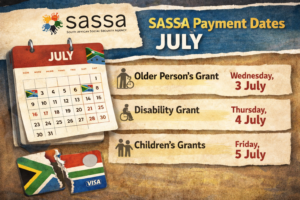
Confirm your banking details are current. Your payment is in the processing queue. For April 2026 payment windows, see our Payment Dates page.
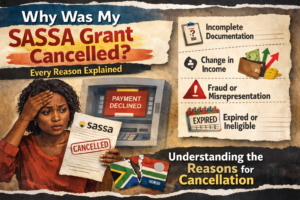
Read the decline reason carefully. If the reason is correct (you had income above R624 that month), no action is needed. If the reason is wrong, you have 90 days to appeal. Visit our SRD Appeal page for the step-by-step process.
Log into srd.sassa.gov.za and update your banking information immediately. Use an account registered in your name only.
This cannot be resolved online. Visit your nearest SASSA office with your original ID document. A staff member will manually verify your identity and resolve the mismatch in SASSA's system.
Start at our Apply for SRD guide. You cannot check a status for an application that does not exist. The application takes under 10 minutes to complete online.
If you have lost access to your registered phone number, visit a SASSA office with your ID to update the number before any status check method will work. See our Change Number guide for the full process.
Sassa srd status check have become a major target for fraud in 2026. Protect yourself by following these rules.
Only use official channels:
Red flags that indicate a scam:
SASSA will never ask you to pay money to receive your grant. If anyone contacts you claiming otherwise, report them immediately by calling 0800 60 10 11.
Before concerning yourself with status check issues, make sure you actually qualify for the SRD R370 grant. Current eligibility rules for 2026:
If you do not meet these criteria, your status check will show “Declined” every month, and appeals are unlikely to succeed. In that case, explore other SASSA grant types you may qualify for instead.
The fastest method is the official portal at srd.sassa.gov.za. Enter your 13-digit ID and registered cellphone number, click Submit, and your status appears. Alternative methods include WhatsApp (082 046 8553), USSD (*120*69277#), the Moya App, and the helpline (0800 60 10 11).
The official SASSA WhatsApp number is 082 046 8553. Save it to your contacts, send “Hi,” and follow the menu. This is the only official SASSA WhatsApp channel. Any other number claiming to be SASSA is fraudulent.
New applications typically take 10 to 15 business days for initial review. Monthly re-evaluations for existing beneficiaries usually complete within 7 to 14 days of each new month. If your status remains “Pending” for more than 30 days, call 0800 60 10 11.
The most common reasons are: the portal is experiencing heavy traffic (try again later), you are checking too early in the month (wait until Day 10), or your application has been flagged for “Referred” manual review which takes 30-90 days.
No. Application must be done by the applicant or legal guardian (for asylum seekers).
SASSA status updates typically happen overnight between midnight and 6am. Fresh statuses are most reliably visible from 7am onwards. Avoid checking at the same time as everyone else between 8am and 10am on the first Monday of the month is the slowest window.
First, verify your banking details are correct on the portal. Approved payments take 3-7 business days for most banks. If you are past 10 business days with no payment, call 0800 60 10 11 with your ID ready for investigation.
The primary USSD code is *120*69277#. The alternative is *134*7737#. Both work on all major South African networks. Dial from your registered cellphone, follow the menu prompts, and enter your ID when requested.
No. You need both your 13-digit ID number and the cellphone number you registered during application. Both serve as your verification keys. If you have lost access to your registered number, visit a SASSA office to update it first.
Performing a regular Srd sassa status check is the single most important habit for any R370 grant beneficiary in 2026. The grant is means-tested monthly, the portal occasionally has errors, and problems like “Pending Bank Details” or “Identity Verification Failed” can delay your payment for weeks if you do not spot them quickly.
Bookmark this guide for reference. Use the official portal at srd.sassa.gov.za as your primary method. When the portal is slow, fall back to WhatsApp (082 046 8553), USSD (*120*69277#), or the helpline (0800 60 10 11). Always be sceptical of third-party sites or callers asking for payment or sensitive information.

| Full Name | Sipho Dlamini |
| Role | Independent Social Grants Researcher & Information Writer |
| Based In | Johannesburg, Gauteng — South Africa |
| Writing Since | 2018 (6+ Years Covering SASSA) |
| Articles Published | 80+ In-Depth Guides on SASSA Grants & Status Checks |
| Core Specialty | SRD R370 Grant · Application Status · Payment Dates · Appeals |
| Languages | English · isiZulu · Sesotho |
| Expertise Tags | SRD R370 SASSA Appeals Payment Dates Grant Eligibility Status Check |