
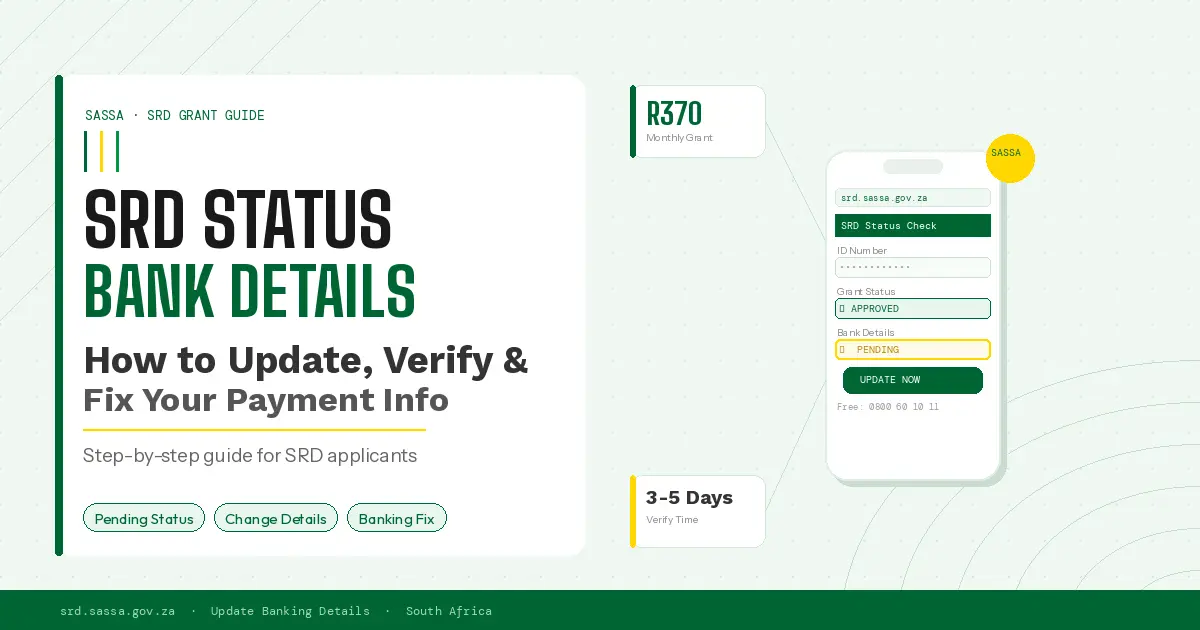
It was a Tuesday morning when Nomvula realized her R370 SASSA SRD grant had not arrived. Again. She had done everything right, or so she thought. She registered on time, her ID was verified, and her application showed as approved. But her bank details were still showing as “pending verification.” Three months of payments gone because of one small data mismatch she did not even know existed.
Thank you for reading this post, don't forget to subscribe!If that story sounds familiar, you are not alone. Millions of South Africans struggle every month with the same frustrating loop: approved status, correct ID, but no money in the account. The culprit, almost every time, is a banking detail problem that the SASSA system has flagged but never clearly explained.
This guide breaks down everything you need to know about SRD status check bank details. You will learn how to check your current banking status, how to update or change your details, why the system rejects certain accounts, and exactly how long you should wait before following up. No government jargon. No runaround. Just the real process, step by step.
What Is SRD Status Check Bank Details?
When you apply for the SASSA Social Relief of Distress (SRD) grant, SASSA needs a way to send you your R370 monthly payment. That means they need your bank account number, the name of your bank, and your branch code. The “SRD status check bank details” process is simply how you confirm, review, or update that payment information on the SASSA system.
Here is what most applicants do not realize: SASSA does not just accept any bank account. The account must meet specific requirements. The name on the account must match the name on your South African ID document exactly. The account must be active. And critically, it cannot be a shared account or a merchant account.
Why does this matter so much? Because once your bank details are flagged or rejected, your payments pause. SASSA does not inform you by SMS in every case. Many applicants only discover the problem when they check their status portal and see the dreaded message: “Bank Details Pending.”
How to Check SRD Status with Bank Details
Checking your SRD payment status, including the state of your bank details, takes less than five minutes when you know where to go. The official SASSA SRD portal is the fastest and most accurate way to do this.
Step-by-step process to check your SRD bank details status:
- Open your browser and go to srd.sassa.gov.za
- Click on “Check Your Application Status”
- Enter your South African ID number
- Enter the cellphone number you used during registration
- You will receive a one-time PIN (OTP) via SMS
- Enter the OTP and your status dashboard will load
- Look for the “Payment Details” or “Banking Details” section
Once you are inside your status dashboard, you will see one of several messages next to your banking information. “Verified” means everything is fine and payments will proceed. “Pending” means SASSA is still checking your account. “Failed” or “Rejected” means there is a problem that needs your immediate attention.
A quick tip from experience: if you check your status and see no banking information displayed at all, that usually means your details were never successfully submitted. This happens more often than SASSA acknowledges, particularly to applicants who registered via WhatsApp early in the process.
How to Update Bank Details for SASSA SRD Grant
Updating your SASSA SRD banking details is not as complicated as many people fear. The process changed significantly in 2023, and the current system is more straightforward than older versions. Here is exactly how to do it in 2025.
Option 1: Update via the SASSA SRD Website
- Visit srd.sassa.gov.za on your phone or computer
- Select “Update Banking Details” from the menu
- Verify your identity using your ID number and OTP
- Enter your new bank name, account number, and account type
- Confirm the details and submit
- Keep your reference number for follow-up
Option 2: Update via WhatsApp
SASSA also allows banking detail updates through their official WhatsApp number: 082 046 8553. Send “Hi” to start the process, then follow the prompts. This is the preferred option if you have limited data or are using a basic smartphone.
Option 3: Visit a SASSA Office
For rejected accounts, complex mismatches, or cases where online updates repeatedly fail, visiting your nearest SASSA office in person is sometimes the only path that works. Bring your green ID book or smart ID card, your bank statement showing your account number, and your cellphone so SASSA staff can send you an OTP on the spot.
Important: SASSA only updates banking details once per month per applicant. If you update your details close to the payment run date, the change will take effect the following month. This is one of the most common causes of missed payments and it almost never gets communicated upfront.
Step-by-Step Guide to Change SRD Banking Details
Let us walk through the full process of changing your SRD banking details from start to finish. This guide covers the scenario where your current details have failed verification and you need to replace them with a new account.
- Confirm why your current details failed: Log into the SASSA SRD portal and read the status message carefully. “Name mismatch” and “account not found” require different responses.
- Gather your new account information: You need the exact bank name (for example, Capitec Bank, FNB, ABSA, Nedbank, Standard Bank), your 10 to 11 digit account number, your account type (cheque or savings), and your branch code. For most South African banks you can find your branch code on your bank card or by calling your bank directly.
- Access the SASSA SRD portal: Go to srd.sassa.gov.za and log in using your ID number and OTP.
- Navigate to banking details: Select the option labeled “Update Banking Details” or “Change Payment Method.”
- Enter and confirm your new details: Type carefully. A single wrong digit means a failed transaction or a payment going to the wrong account.
- Submit and save your reference number: Screenshot the confirmation page. You will need this if you follow up later.
- Check back after 3 to 5 business days: Your new banking status should update to “Verified” within this window if everything is correct.
Why Your SRD Bank Details May Fail
This is the section that most guides skip over. Failed bank details are rarely random. There are specific, predictable reasons why the SASSA system rejects an account, and knowing them in advance saves you weeks of frustration.
The Most Common Reasons for SRD Banking Detail Failures
- Name mismatch: The name on your SASSA application does not exactly match the name on your bank account. Even a middle name that appears in one place but not the other can cause a rejection.
- Account type not accepted: SASSA does not pay into certain account types, including merchant accounts, business accounts, and some prepaid card accounts that are not registered to your ID.
- Account closed or dormant: If your account has had no transactions for 90 days or more, many banks classify it as dormant. SASSA payments are then rejected at the bank’s end, not SASSA’s.
- Shared accounts: SASSA requires that the account belongs solely to you. A joint account in two names will typically fail verification.
- Wrong account number entered: This happens more often than people admit. A single transposed digit means your payment either fails or reaches someone else entirely.
- EasyPay or retailer wallet issues: While SASSA allows payment through Shoprite’s Unathi card and similar systems, there are strict registration requirements. An unregistered EasyPay number will always fail.
Here is something SASSA does not make obvious: if your bank details fail three times in a row, your account can be locked for manual review. At that point, in-person verification at a SASSA office becomes mandatory. The online portal will not accept further updates until the lock is cleared by a SASSA officer.
How Long It Takes for SASSA to Verify Bank Details
One of the most searched questions around the SRD grant is how long SASSA actually takes to verify banking details. The honest answer: it depends on when in the monthly payment cycle you submit your update.
Under normal circumstances, SASSA verifies new banking details within 3 to 5 business days of submission. If you update your details in the first two weeks of the month, your next payment should reflect the new account. If you update after the 20th of the month, you will almost certainly receive that month’s payment into your old account, or receive no payment that month if the old account was failed.
The SASSA SRD payment run typically happens between the 15th and the 25th of each month, though this shifts slightly based on weekends and public holidays. South African public service workers and social grant recipients know this cycle well.
What “Bank Details Pending” Actually Means
When your status shows “Bank Details Pending,” it means SASSA has received your banking information and sent it to their verification partner (a contracted banking bureau) for confirmation. This is normal. It is not a rejection. The pending status should resolve within 3 to 7 business days. If it stays on pending for more than 10 business days, that is when you should follow up through the SASSA helpline at 0800 60 10 11, which is a free call from any South African network.
Common Problems When Updating SRD Bank Details
Even when you follow the correct process, the SASSA SRD portal sometimes gives you trouble. These are the problems applicants report most frequently and how to handle each one.
“OTP Not Received”
This is almost always a cellphone network issue or a mismatch between the number registered on your application and your current SIM. If you have changed your number, you need to update your contact details first through the SASSA portal before you can receive OTPs. Use the “Update Contact Details” option on the main menu.
“System Error” or “Service Unavailable”
The SASSA SRD portal experiences high traffic on the first and last weeks of each month. If you see a system error, try again during off-peak hours: before 8am or after 7pm on weekdays, or Saturday morning. The system is usually at its least busy on Sunday afternoons.
“Changes Cannot Be Saved”
This typically happens when SASSA has locked your profile for a pending update or fraud review. You will need to call the SASSA helpline or visit an office. Online attempts will not succeed until the lock is manually cleared.
Bank Details Show as Updated but Payment Still Fails
If your portal shows the correct banking details and your status is verified, but money still does not arrive, the problem may be at your bank’s end. Ask your bank to confirm that the account is active, that your ID number is correctly linked, and that the account can receive third-party electronic payments. Some FNB and ABSA accounts with certain security settings block incoming payments from government systems.
Tips to Avoid SRD Payment Delays
After working through these issues repeatedly, a few practical habits make a real difference in keeping payments consistent.
- Update your bank details early in the month, before the 15th, to give the system time to verify before the payment run.
- Use a Capitec or Post Office account if possible. Capitec Bank accounts have the fewest SASSA verification failures due to their real-time NUPAY integration with government payment systems.
- Never close the bank account linked to your SRD grant without updating SASSA first. Closed account rejections can freeze your grant for up to two months.
- Screenshot every update you make. Save the confirmation page and note the date and time. This is your proof if you need to dispute a missed payment later.
- Check your status on the portal every two weeks, not just when a payment is due. Catching a pending or failed status early gives you time to resolve it before the payment run.
- Keep your registered cellphone number active. SASSA uses OTP verification for every sensitive update. A disconnected number means you cannot access your account at all.
FAQs About SRD Status Check Bank Details
Why does my SRD bank details say “pending” for so long?
A status of “bank details pending” means SASSA is verifying your account through their banking bureau. This usually takes 3 to 7 business days. If it exceeds 10 business days, call 0800 60 10 11 for a free update on your case.
Can I use a family member’s bank account for my SRD grant?
No. SASSA requires that the bank account belongs solely to the applicant and that the name matches the ID document exactly. Using another person’s account will result in a name mismatch rejection every time.
How do I check if my SASSA SRD bank details are correct?
Log into srd.sassa.gov.za with your ID number and registered cellphone number. After OTP verification, navigate to the Payment Details section. Your current banking information and its verification status will be displayed there.
What happens to missed payments when my bank details were wrong?
Unfortunately, SASSA does not automatically backpay months where your banking details failed verification. You can submit a formal query or appeal through the SASSA portal requesting a review of missed payments, but outcomes vary. This is one of the most controversial aspects of the SRD system.
How many times can I change my SRD bank details?
SASSA permits one banking detail change per application cycle per month. Multiple changes in the same month are not processed. Plan your update carefully and make sure the new details are correct before submitting.
Can I receive my SRD grant in cash instead of through a bank?
Yes. You can select a retail payment option through Pick n Pay, Shoprite, Checkers, USave, or the Post Office. You will need to update your payment method on the SASSA SRD portal and select your preferred retail partner. Note that retail payments require you to collect in person each month with your ID.
What if my bank account is correct but SASSA says it failed?
Request a letter from your bank confirming that your account is active, in your name, and able to receive NUPAY or EFT deposits. Take this letter to your nearest SASSA office for manual verification. The banking verification system sometimes produces false negatives, particularly for newer digital bank accounts.
Is the SASSA SRD WhatsApp number safe to use for banking updates?
The official SASSA WhatsApp number is 082 046 8553. This is verified and safe. Be cautious of any other numbers that claim to be SASSA. Fraudsters often impersonate SASSA on WhatsApp and request banking details via fake portals.
Why was my Capitec account rejected by SASSA?
Capitec rejections are usually caused by a name mismatch between your SASSA profile and your Capitec account registration. Check that your first name and surname appear identically in both systems. Even an abbreviation like “Jo” instead of “Johannes” can trigger a rejection.
How do I complain about a missed SRD payment due to bank detail problems?
Submit a formal complaint through the SASSA online appeals portal at srd.sassa.gov.za. You can also contact the South African Social Security Agency via the toll-free number 0800 60 10 11. Keep all screenshots and reference numbers when you contact them. Documented cases receive faster responses than undocumented complaints.
Final Thoughts
Banking detail problems are the single biggest cause of SRD grant payment failures in South Africa. But they are also among the most fixable. The SASSA system has real limitations, and it does not always communicate problems clearly. That is why knowing the process, checking your status regularly, and acting early makes all the difference between a consistent monthly payment and months of chasing a grant that is technically approved but practically inaccessible.
If Nomvula had known to check her banking status in the first week after registration, she would have caught the name mismatch before a single payment was missed. Three months of R370 each, R1,110 in total, lost to a problem that takes five minutes to fix when you know where to look.
Start with the SASSA SRD portal today. Check your status, confirm your banking details are verified, and set a reminder to check again in two weeks. Small habits like this protect a payment that many households genuinely depend on.
Have you experienced a bank detail rejection or a long pending status? What worked for you? Share your experience in the comments so other South Africans can benefit from your story.