
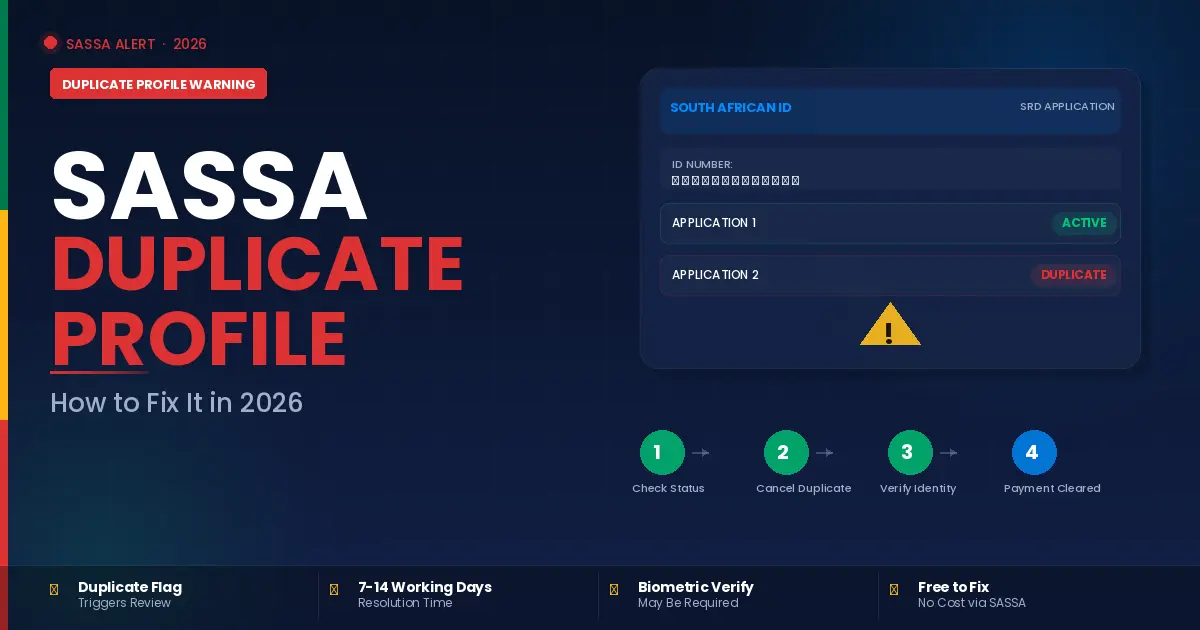
You check your SASSA status online. Everything looks fine. Then one day, out of nowhere, your application shows a warning you have never seen before. Duplicate Profile.
Thank you for reading this post, don't forget to subscribe!No explanation. No instruction. Just that message sitting there while your payment stays stuck.
If this has happened to you, you are not alone. Since SASSA upgraded its verification platform in 2026, thousands of applicants have encountered this exact warning. Many of them did nothing wrong. Some applied once, years ago, and are only now seeing this flag appear because the new system cross-checks records differently than the old one did.
The frustrating part is that most people do not know what it means or what to do next. This guide explains exactly what a SASSA duplicate profile warning is, why it happens, and the step-by-step process to fix it so your payments are not delayed any longer than necessary.
What Does “Duplicate Profile” Actually Mean on SASSA?
A duplicate profile warning means SASSA’s system has detected more than one active record linked to your South African ID number. The system flags this automatically as a potential fraud risk because only one grant application is permitted per person.
Here is what most people do not realise: you do not have to intentionally create two profiles for this warning to appear. It can happen for several completely innocent reasons. The system does not distinguish between deliberate fraud and a technical overlap. It flags everything and lets a human reviewer sort it out later.
This is important to understand because many people panic when they see this message and assume they have done something wrong. In most cases, they have not. The system is doing exactly what it is designed to do, which is flag anything that looks unusual. Your job is simply to respond correctly.
Why Does the Duplicate Profile Warning Appear?
There are several common reasons this warning shows up, and knowing which one applies to your situation helps you resolve it faster.
You Applied More Than Once
This is the most straightforward cause. If you submitted two SRD applications at any point, whether because the first one seemed to fail, because you forgot you had already applied, or because someone helped you apply and also applied themselves, SASSA’s system will link both applications to your ID number and flag the duplication.
If your South African ID number is linked to more than one active SRD R370 grant application or other social grant, you must cancel the duplicates. Once you submit an official cancellation request, SASSA can take up to 7 days to remove the duplicate applications and process your single application for review.
System Migration Created Ghost Profiles
Since SASSA migrated to its upgraded verification platform in 2026, some beneficiaries found that old inactive applications were pulled into the new system alongside their current active application. Many applicants began seeing this message after the national migration to the new system, and it often appears suddenly even when users do not remember creating more than one account.
If this is your situation, the fix requires contacting SASSA directly rather than cancelling anything yourself, since the duplicate record was created by the system and not by you.
Someone Else Applied Using Your ID
This is the most serious scenario and unfortunately not uncommon. Identity fraud does occur. If someone applied for an SRD grant using your ID number without your knowledge, the system will flag both records as a duplicate and hold both applications pending investigation.
If you suspect this is the case, do not delay. Contact SASSA immediately through the official helpline and report the suspected fraud alongside your duplicate profile complaint.
Your Details Changed Between Applications
If you applied at one point with a specific phone number or banking detail, then reapplied later with updated information, the system sometimes treats these as two separate profiles rather than an updated single record. This is particularly common after number changes and bank account updates.
How to Fix a SASSA Duplicate Profile Step by Step
Follow these steps in order. Do not skip ahead.
Step 1: Check Your Status Online First
- Go to the official SASSA SRD website at srd.sassa.gov.za
- enter your ID number and registered phone number. Confirm that the duplicate profile warning is actually there and note any reference numbers or application IDs shown on the screen. Screenshot this page if you can.
- You will need these details later.
Step 2: Identify Which Application Is Duplicate
If you know you applied more than once, identify which application is the most recent and most complete. That is the one you want to keep. The older or incomplete application is the one you need to cancel.
If you are unsure which application is which, write down all reference numbers shown on your profile page and bring them with you to a SASSA office.
Step 3: Cancel the Duplicate Application
If you applied more than once deliberately or by mistake, you need to submit a cancellation request for the duplicate application. You can do this in two ways.
- Online: Visit srd.sassa.gov.za, log in with your ID and phone number, navigate to your application list, and select the duplicate application.
- Look for the option to cancel or withdraw the application. Submit the cancellation and note your confirmation number.
- In person: Visit your nearest SASSA office with your green ID book or smart ID card and your phone.
- Tell the officer you have a duplicate profile warning and need to cancel a duplicate application. They will assist you directly.
- Once you submit an official cancellation request, SASSA can take up to 7 days to remove the duplicate applications and process your single application for review.
Step 4: Complete Biometric Verification if Required
- In many duplicate profile cases, SASSA requires the applicant to verify their identity in person before the warning can be cleared.
- If identity verification is required, you must complete biometric verification at your nearest SASSA office.
- Biometric verification involves having your fingerprints and face scanned at the SASSA office.
- This confirms that you are the legitimate holder of the ID number in question and removes the fraud flag from your record. Bring your smart ID card or green ID book and the phone number registered to your application.
Step 5: Follow Up After 7 to 14 Working Days
- After submitting your cancellation or completing biometric verification, do not simply wait and hope.
- Check your status online every few days. SASSA will update your record within 14 working days after you complete the required verification.
- Once your status changes to Approved, you will start receiving SASSA payments for the eligible grant.
- If your status has not changed after 14 working days, contact SASSA directly. Do not wait longer than this.
How to Contact SASSA About a Duplicate Profile
- There are three official ways to reach SASSA for this issue.
- The toll-free helpline is 0800 60 10 11.
- It is free to call from any phone.
- Call during business hours, have your ID number and registered phone number ready, and explain that you have a duplicate profile warning on your SRD application.
- Ask for a reference number for your call.
- The SASSA WhatsApp line is 082 046 8553.
- Send a message explaining your issue.
- The WhatsApp line handles queries around the clock and often provides faster responses than the phone line during peak periods.
- In person at your nearest SASSA office.
- This remains the most reliable option for duplicate profile issues, especially if biometric verification is required.
- Bring your ID document and your registered phone number.
- When you contact SASSA, always provide your application reference number.
This will help SASSA identify your specific application, confirm that any duplicate entries have been removed, and verify your grant approval and payment date.
What Happens to Your Payment While the Duplicate Warning Is Active?
This is the question most people want answered immediately.
While a duplicate profile warning is active, your payment will be held. SASSA will not release funds to an application that is flagged, regardless of whether you are otherwise eligible. This is why fixing the problem quickly matters.
A Referred status means your application has been flagged for further checks. This usually happens when SASSA suspects possible fraud, duplicate applications, or unclear information in your records. Your case will be looked at in more detail before approval or decline.
You will not lose backdated payments that you were entitled to while the warning was active. Once the duplicate is cleared and your application moves back to Approved status, SASSA will process the outstanding payment for the affected month. However, this is not guaranteed for every case and depends on the specific circumstances.
If your status moves from Referred or Duplicate back to Pending after you resolve the issue, this is normal. Pending means your application is back in the review queue and will be processed in the next payment cycle.
Can You Appeal if the Duplicate Warning Was a System Error?
Yes. If SASSA’s system created the duplicate profile without any action on your part, you have the right to appeal the decision or flag it as a technical error.
SASSA says that you must file the appeal within 30 days of the rejection as appeals submitted after that will not be considered by SASSA. Submit your appeal at srd.dsd.gov.za/appeals with your 13-digit ID number and registered phone number.
In your appeal, clearly state that the duplicate profile was created by the system migration and not by you. If you have screenshots of your original single application, include them. Our SASSA Appeal guide walks you through the complete appeal process step by step, including what to write and what documents to include.
How to Prevent a Duplicate Profile in the Future
Once your current duplicate warning is resolved, take these steps to prevent it happening again.
Never submit more than one application. If your application seems stuck or fails to load, wait 24 hours and check your status before reapplying. A failed-looking application may have actually submitted successfully.
Keep your phone number up to date. If your number changes, update it through the official SASSA channel immediately. Our Change Number guide explains how to do this online, via WhatsApp, or in person. An outdated number is one of the most common reasons people reapply and accidentally create duplicates.
Check your SASSA status regularly. Catching a duplicate profile warning early means resolving it before it affects your payment schedule rather than after.
Never let anyone else apply on your behalf using your ID details unless it is an official SASSA representative at a registered office. Third-party applications are a leading cause of both duplicate profiles and identity fraud.
Frequently Asked Questions
How long does it take to fix a SASSA duplicate profile?
After submitting a cancellation request or completing biometric verification, SASSA updates your record within 7 to 14 working days. Check your status regularly during this period and follow up if nothing has changed after two weeks.
Will I lose my grant payment while the duplicate warning is active?
Your payment is held while the warning is active, but you should receive the outstanding payment for affected months once the issue is resolved and your status returns to Approved. Contact SASSA directly if this does not happen.
Can a duplicate profile warning get my grant permanently cancelled?
No, not automatically. A duplicate profile warning triggers a review, not an immediate cancellation. If the review finds no fraudulent intent, your application continues normally. If fraud is found, the application is cancelled. Responding quickly and honestly gives you the best outcome.
What if I did not create a second application but still see this warning?
This likely means either a system migration issue or identity fraud. Contact SASSA immediately through the helpline or visit your nearest office. Do not ignore the warning or assume it will clear on its own.
Do I need a lawyer or third party to fix a duplicate profile?
No. SASSA handles this directly and for free. If contacting SASSA does not fix your problem, you could contact the Black Sash for assistance. It is an organisation that has had a lot of experience with SASSA and has been very active in the campaign to get SASSA grants paid out as they should be. The Black Sash gives free paralegal advice. Their helpline is 072 663 3739.
The Bottom Line
A SASSA duplicate profile warning feels alarming, but it is a fixable problem. The system flags duplicate records automatically, and resolving it is a matter of following the right steps in the correct order.
Cancel the duplicate application, complete biometric verification if requested, and follow up consistently until your status clears. Most people who respond promptly have their payment released within two to three weeks.
Do not ignore the warning and do not pay anyone to fix it for you. SASSA resolves these cases for free through official channels. For the most accurate and up-to-date information on your application, always go directly to the official SASSA website at sassa.gov.za.